Appearance
Refund
A Refund is a transaction type used to return funds to the customer. It can be created from an eligible transaction in the portal or initiated through the API.
Use Refund when a completed payment needs to be partially or fully returned after funds have been collected.
How refund works
A refund is created from an existing transaction and processed by the connected payment provider.
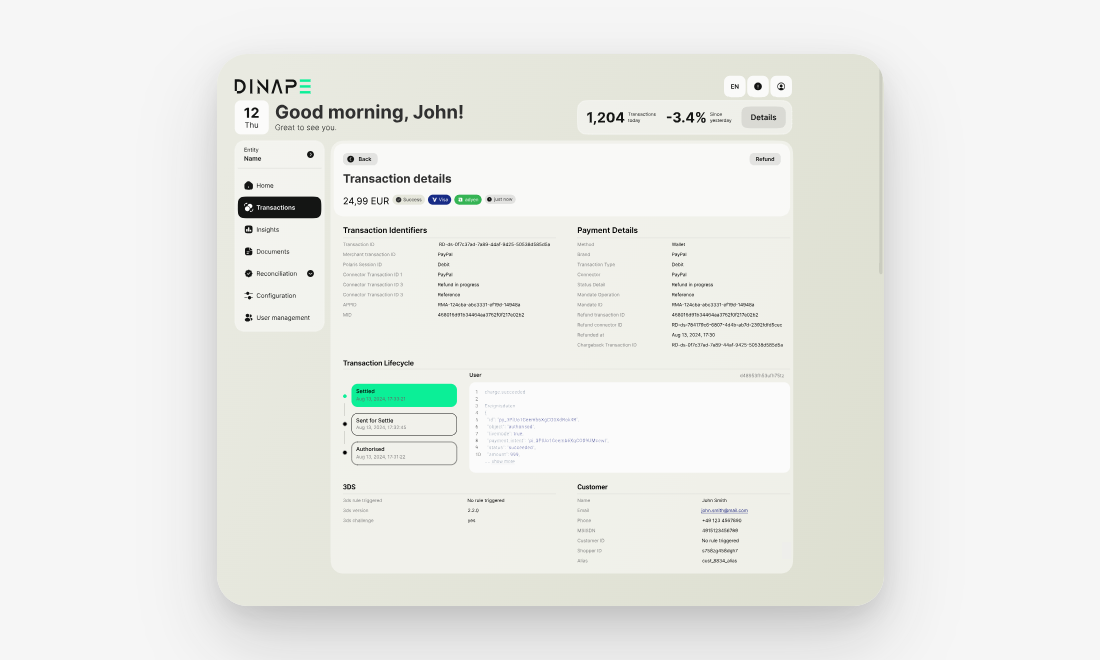
A typical refund flow includes these steps:
- A refund is initiated from the transaction details page or through the API.
- Dinape validates whether the transaction is eligible for refund.
- Dinape sends the refund request to the connected payment provider.
- The provider processes the refund.
- The refund status is updated in Dinape.
- The refund can be reviewed in Transactions.
The exact flow depends on the payment method, provider, transaction status, and refund channel.
When to use refund
Use Refund when funds should be returned to the customer.
Refund can be used when:
- the original transaction is eligible for refund
- the payment provider supports refunds for the payment method
- the refund amount is valid for the original transaction
- the transaction has not already been fully refunded
Before you start
Before creating a refund, make sure that:
- the original transaction is available in Transactions
- the transaction is eligible for refund
- the refund amount is correct
- you have the required access rights or API credentials
- the payment provider supports the refund action
For provider setup, see Connectors Overview.
Create a refund in the portal
Open Transactions and select the transaction you want to refund.
On the transaction details page, select Refund and follow the confirmation flow. After the action is submitted, Dinape sends the refund request to the connected payment provider.
If the transaction is not eligible for refund, the Refund action may not be available.
Create a refund through the API
Refunds can also be initiated through the API.
Use the API when refunds should be triggered from your own backend system, support tooling, or automated operational workflows.
For endpoint details, required fields, authentication, and response schemas, see the API reference.
Review refund transactions
Refund transactions appear in Transactions.
Use the transaction table and transaction details to review:
- refund status
- refund amount and currency
- original transaction reference
- payment method
- provider or connector
- merchant transaction ID
- customer details, where available
- channel and merchant information
Related transaction types
Debit
Use Debit to charge the customer for a payment.