Appearance
Fee Management
Use Fee Management to configure fees that apply to merchants or connector transactions. Fees help you define commercial charges such as setup fees, gateway fees, recurring fees, or transaction-based connector fees.
Dinape supports different fee configuration areas depending on the selected entity. Merchant-level fees are configured on the merchant entity. Connector fees are configured from the channel entity for a specific affiliated connector.
Fee types
Dinape supports two main fee configuration areas:
- Custom fees: fees configured on a merchant entity, such as setup fees, gateway fees, or recurring merchant charges
- Connector fees: fees configured for an affiliated connector on a channel, such as transaction-based fees for a specific payment provider connection
The available fee options depend on the selected entity, connector, and your access rights.
Configure custom fees
Use Custom fees on the merchant entity to add fees that apply to the merchant.
To configure a custom fee:
- Select the merchant entity.
- Open Configuration.
- Go to Custom fees.
- Select the plus icon.
- Enter the fee details.
- Save the fee.
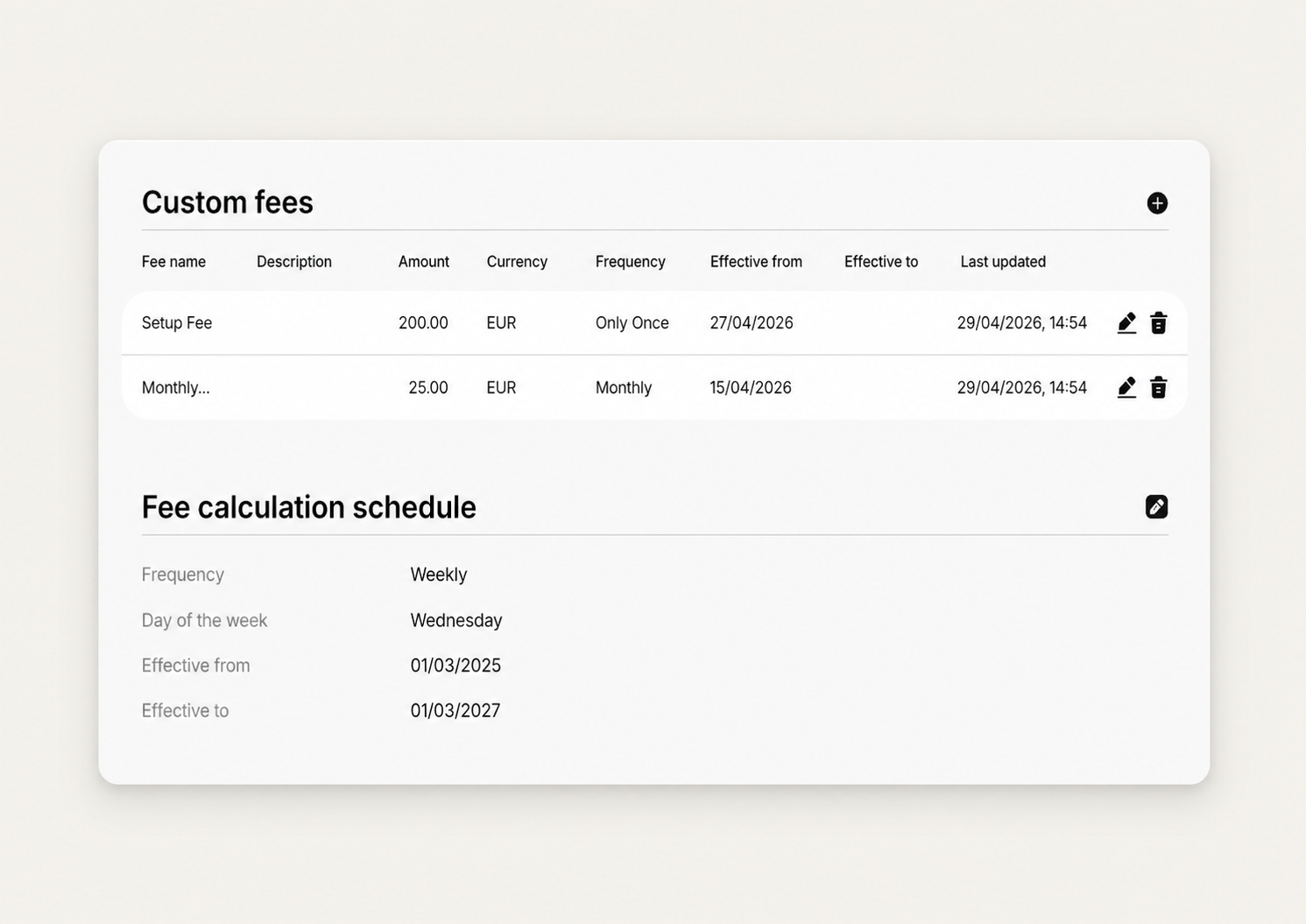
A custom fee can include:
- Fee name
- Description
- Amount
- Currency
- Frequency
- Effective from
- Effective to
Set the custom fee frequency
The frequency defines when a custom fee is charged.
Available frequencies include:
- Only once: charged one time on the effective from date
- Daily: charged every day until the effective to date, or indefinitely if no end date is set
- Weekly: charged weekly on the same weekday until the effective to date, or indefinitely if no end date is set
- Monthly: charged monthly on the same date, or on the last day of the month if the date does not exist, until the effective to date or indefinitely if no end date is set
- Annually: charged yearly on the same month and day, or on the last valid day if the date does not exist, until the effective to date or indefinitely if no end date is set
Configure the fee calculation schedule
Use Fee calculation schedule to define when fees are calculated for the merchant.
The schedule can run daily, weekly, or monthly. Depending on the selected frequency, you can define the calculation day and the effective period.
The schedule determines when DINAPE calculates fees for the merchant. It does not replace the frequency of individual custom fees.
Configure connector fees
Use connector fees to define fee rules for a specific payment provider connection on a channel.
To configure connector fees:
- Select the channel entity.
- Open Configuration.
- Go to Affiliated connector.
- Select Fees for the connector you want to configure.
- Open or create a fee group.
- Add or edit fee rules.
- Save the group.
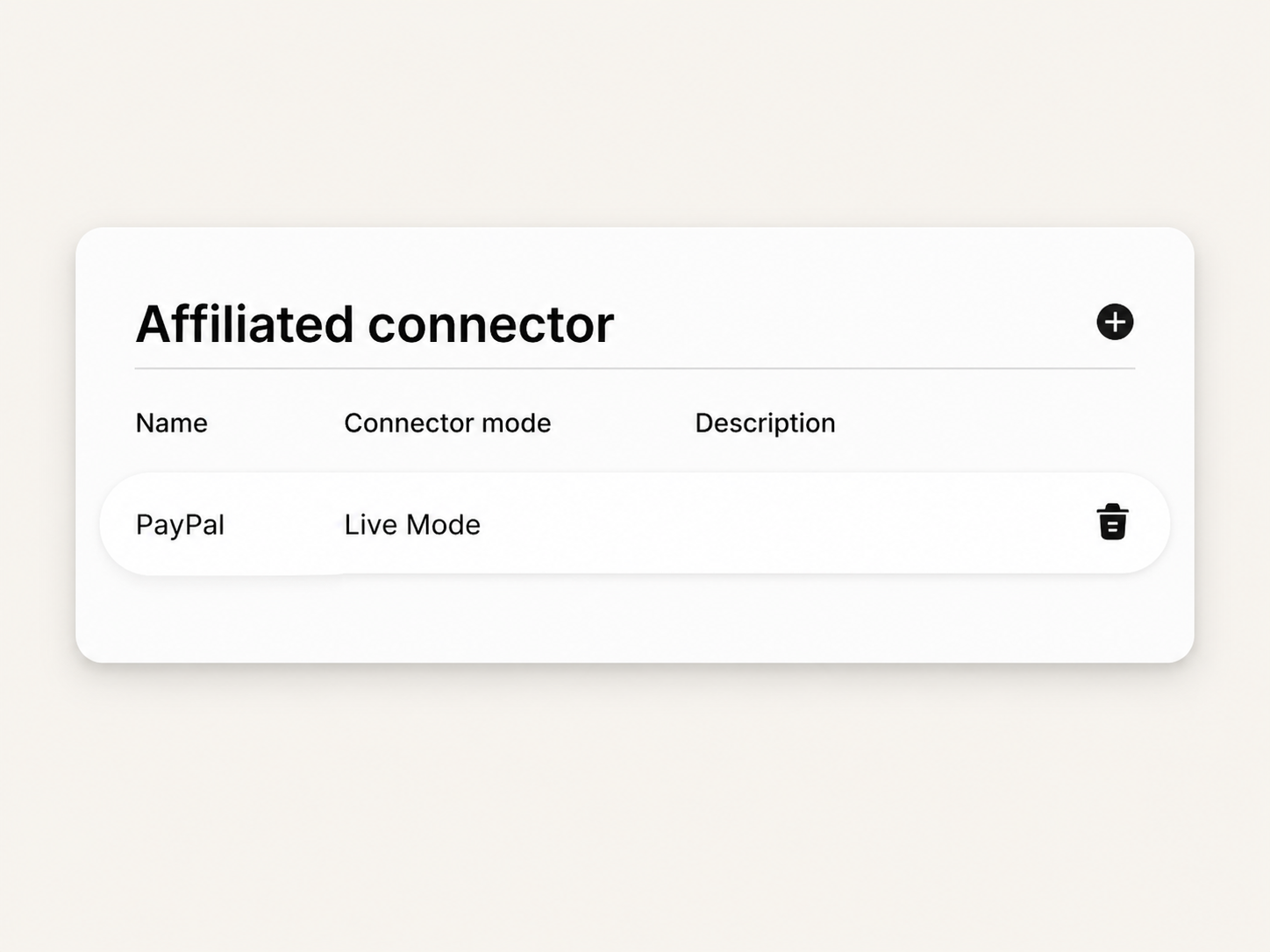
Connector fees are managed per connector. For example, a PayPal connector and an Adyen connector can have different fee groups and fee rules.
Use fee groups
A fee group is a collection of fee rules for a connector.
Use fee groups to organize connector fee rules that should be evaluated together. Each group includes a default fee that applies if no other fee rule matches.
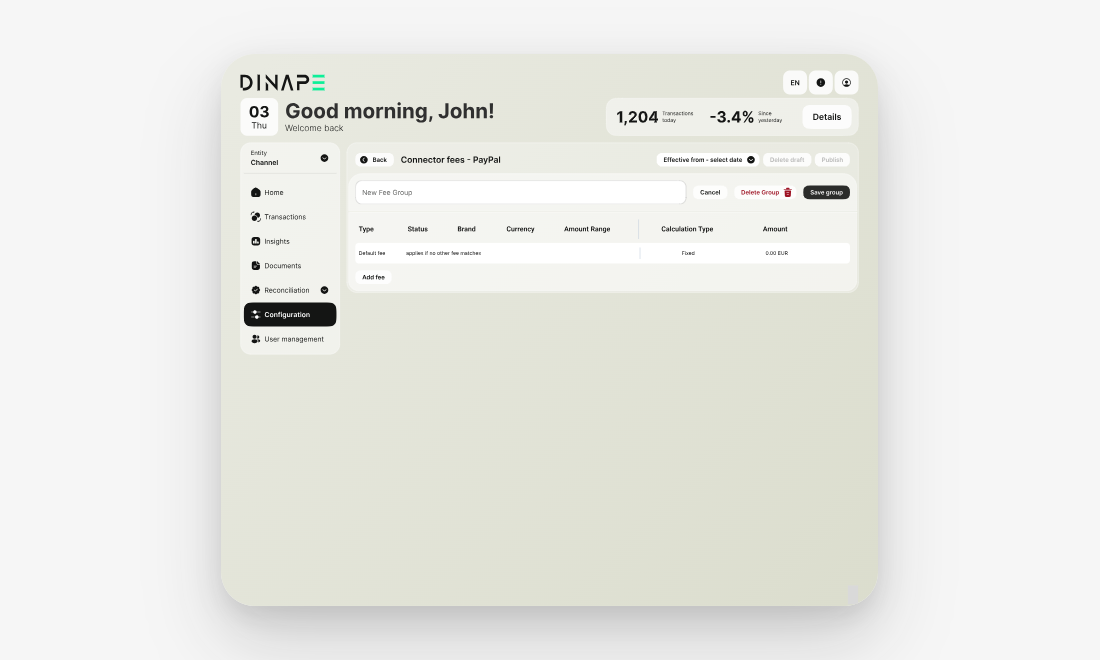
You can:
- create a new group
- edit an existing group
- delete a group
- add fee rules to a group
- edit the group name
- save the group
Add a connector fee rule
Use Add fee inside a fee group to define when a connector fee applies and how it is calculated.
A fee rule can include transaction criteria such as:
- Type
- Status
- Brand
- Currency
- Amount range
The fee rule also includes the fee calculation, such as:
- Calculation type
- Amount
Dinape applies the fee rule when a transaction matches the configured criteria.
Choose a calculation type
The calculation type defines how the connector fee is calculated.
Available calculation types include:
- Fixed: applies a fixed fee amount
- Percentage with minimum: applies a percentage fee, with a minimum fee amount
- Combined: applies a fixed amount and a percentage fee together
Use the calculation type that matches the commercial fee model agreed for the connector.
Review connector fees
The connector fee overview shows the configured fee groups and fee rules for the selected connector.
Each rule shows the transaction criteria, calculation type, and fee amount. Use this overview to check which fee applies to a transaction and whether a default fee is configured.
Next steps
Review transactions
Use Transactions to review payment activity that may be used for fee calculation.
Continue to Transaction Overview
Review reconciliation data
Use reconciliation pages to compare transaction data and provider data.
Continue to Reconciliation Data
Calculation Jobs
Use the Calculation Jobs tab to view calculation results.
[Continue to Calculation Jobs](/guides/ calculation-jobs)